

Introduction
In today’s digital world, data is everywhere. Businesses, freelancers, and online platforms rely heavily on data to make decisions. This is where Excel Data Analysis becomes extremely valuable. Excel is not just a spreadsheet tool; it is a powerful platform for organizing, analyzing, and interpreting data, even for beginners.
If you are new to Excel and want to earn money online, learning Excel Data Analysis is one of the smartest skills you can invest in. You don’t need coding knowledge or expensive software—just Excel and practice. This article will walk you through 7 essential data analysis techniques that every beginner must learn.
1. Sorting Data for Better Understanding
Sorting is the first and most basic technique in Excel Data Analysis. It helps you arrange data in a meaningful order so patterns become visible.
You can sort data:
- Alphabetically (A–Z or Z–A)
- Numerically (smallest to largest)
- By date (oldest to newest)
Use case:
Sorting sales data by revenue helps you identify top-performing products quickly.
📌 Why it matters for beginners
Sorting allows you to clean and review large datasets easily, which is a common task in freelancing and remote jobs.
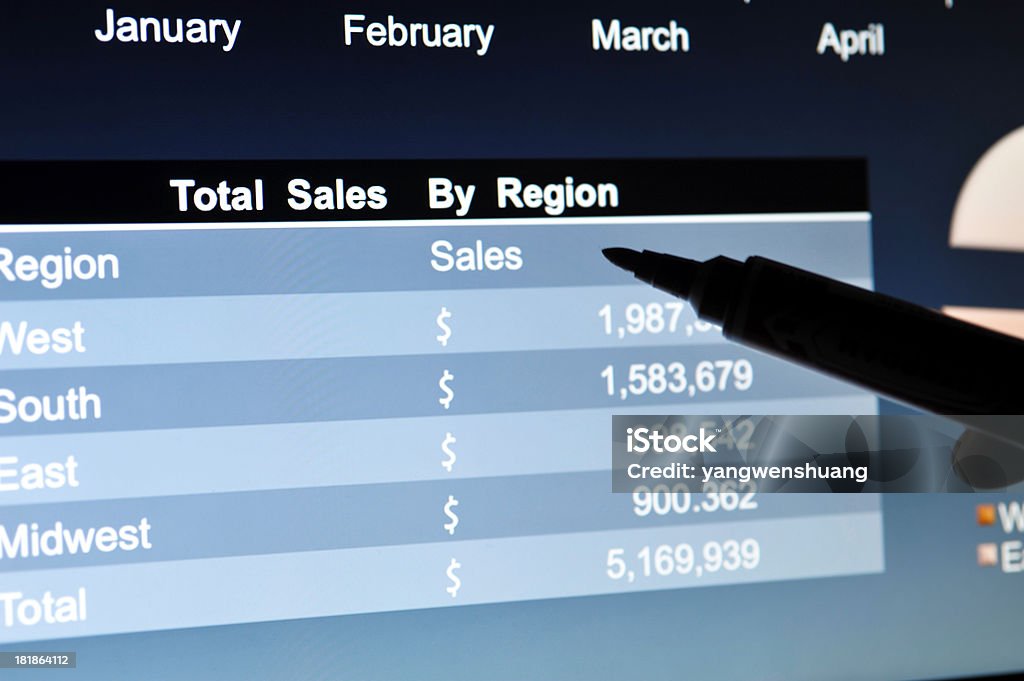
2. Filtering Data to Focus on What Matters
Filtering lets you display only the data you need while hiding the rest. This is a core skill in Excel Data Analysis, especially when working with large datasets.
You can filter data by:
- Text (specific names or categories)
- Numbers (greater than, less than)
- Dates (this month, last year)
Example:
Filter customer data to see only unpaid invoices.
💼 Freelancing relevance
Clients often ask freelancers to extract specific data from big Excel files. Filtering makes this fast and accurate.
3. Conditional Formatting to Highlight Insights
Conditional formatting helps you visually analyze data by applying colors, icons, or data bars based on rules.
Examples include:
- Highlighting highest or lowest values
- Marking overdue tasks in red
- Color-coding performance levels
This technique makes Excel Data Analysis easier and more professional.

4. Using Pivot Tables for Data Summarization
Pivot Tables are one of the most powerful tools in Excel Data Analysis, even for beginners. They allow you to summarize large datasets without using formulas.
With Pivot Tables, you can:
- Calculate totals and averages
- Group data by category
- Compare monthly or yearly performance
Example:
Summarize sales by region and product category in seconds.
🚀 Why beginners should learn this early
Pivot Tables are highly valued in online jobs and freelancing projects. Many clients specifically ask for this skill.
5. Basic Excel Formulas for Analysis
Formulas are the backbone of Excel Data Analysis. Beginners should start with a few essential ones:
- SUM – total values
- AVERAGE – find mean
- COUNT / COUNTA – count data
- MAX / MIN – find highest and lowest values
These formulas help you analyze trends and make calculations automatically.

6. Charts and Graphs for Data Visualization
Charts turn numbers into visuals, making Excel Data Analysis easier to understand and present.
Common chart types:
- Column charts for comparison
- Line charts for trends
- Pie charts for percentages
Example:
Create a monthly income chart to show growth over time.
💡 SEO & freelancing tip
Well-designed charts make reports look professional, which increases client trust and repeat work.
7. Data Cleaning for Accurate Analysis
Data cleaning is often ignored, but it is one of the most important steps in Excel Data Analysis. Raw data usually contains errors like extra spaces, duplicates, or incorrect formats.
Basic cleaning techniques include:
- Removing duplicates
- Using TRIM to remove extra spaces
- Fixing date and number formats

How Beginners Can Practice Excel Data Analysis
To master Excel Data Analysis, practice is key:
- Download sample datasets (sales, expenses, students)
- Apply sorting and filtering daily
- Create Pivot Tables weekly
- Design charts for every dataset
- Clean messy data regularly
Consistency will make you confident and job-ready.
Earning Opportunities Using Excel Data Analysis
Once you learn Excel Data Analysis, you can earn money online through:
- Data entry and reporting jobs
- Virtual assistant work
- Freelancing on Fiverr and Upwork
- Small business analytics support
- Dashboard and report creation
Many beginners start with small tasks and grow into higher-paying roles.
Why Excel Data Analysis Is an Evergreen Skill
Technology changes, but Excel remains widely used across industries. Companies trust Excel for reporting, planning, and analysis. This makes Excel Data Analysis a future-proof skill for beginners.
With proper practice, you can turn this skill into a stable income source without heavy investment.
Practical Excel Data Analysis Workflow for Beginners
Understanding techniques is important, but applying them in a structured workflow is what truly makes Excel Data Analysis valuable for beginners. Many learners know individual tools like sorting or formulas but struggle to combine them into a real working process. This section explains how beginners can follow a simple, repeatable workflow to analyze data professionally.
The first step in any data analysis task is data inspection. Before applying formulas or charts, beginners should carefully look at the dataset. Check column headings, identify missing values, and ensure data types such as dates, numbers, and text are correctly formatted. This initial review prevents errors later and builds confidence while working with Excel.
Next comes data cleaning, which is a critical stage in Excel-based analysis. Beginners often work with data downloaded from websites, clients, or business systems, and such data is rarely perfect. Extra spaces, duplicate records, and inconsistent formatting can distort results. Using tools like Remove Duplicates, TRIM, and basic formatting ensures that the dataset is reliable. Clean data is the foundation of accurate Excel Data Analysis.
Once the data is clean, beginners should move to data organization. This involves sorting and filtering to understand the structure of information. Sorting helps identify top and bottom values, while filtering allows focus on specific categories or time periods. At this stage, patterns start to appear, making it easier to decide what analysis is required.
After organizing data, the next step is calculation and summarization. This is where formulas and Pivot Tables play a key role. Beginners can use simple formulas such as SUM, AVERAGE, COUNT, and conditional functions to calculate totals and performance metrics. Pivot Tables simplify this process by summarizing large datasets without complex formulas, which makes Excel Data Analysis accessible even for non-technical users.
Visualization comes next and is often overlooked by beginners. Creating charts and graphs transforms numbers into insights that are easy to understand. Visual elements help explain trends, growth, and comparisons clearly. Businesses and clients prefer visual reports because they save time and improve decision-making. Including charts also increases the professional quality of Excel work.
The final step in the workflow is review and presentation. Beginners should double-check calculations, ensure charts are labeled correctly, and confirm that the analysis answers the intended question. Adding simple formatting, clear headings, and structured layout makes the spreadsheet easier to read and more valuable for clients or employers.
Following this workflow helps beginners use Excel confidently and systematically. Instead of randomly applying features, they learn how each step connects to the next. Over time, this approach improves speed, accuracy, and understanding. With consistent practice, beginners can turn Excel Data Analysis into a reliable skill for freelancing, remote jobs, and long-term online income.
Conclusion
Learning Excel Data Analysis through these 7 beginner-friendly techniques can transform how you work with data. From sorting and filtering to Pivot Tables and charts, each method builds your analytical thinking and professional value.
If your goal is to earn online, freelancing, or improve job opportunities, start practicing today. Mastering Excel Data Analysis is not difficult—it only requires consistency and real-world practice.
